By hand
7 steps per card
- CameraPhotograph the front
- CameraPhotograph the back
- EditorCrop the front
- EditorCrop the back
- Collage appPut them side by side
- FilesRename it so you can find it later
- AgainNext card. Repeat.
Android app for trading card sellers
Photograph the front, then the back. CardStitch finds the card, crops it, stitches both sides into one clean image and names the file after the card. Ready to list.
For marketplace sellers, collectors and traders.
The problem
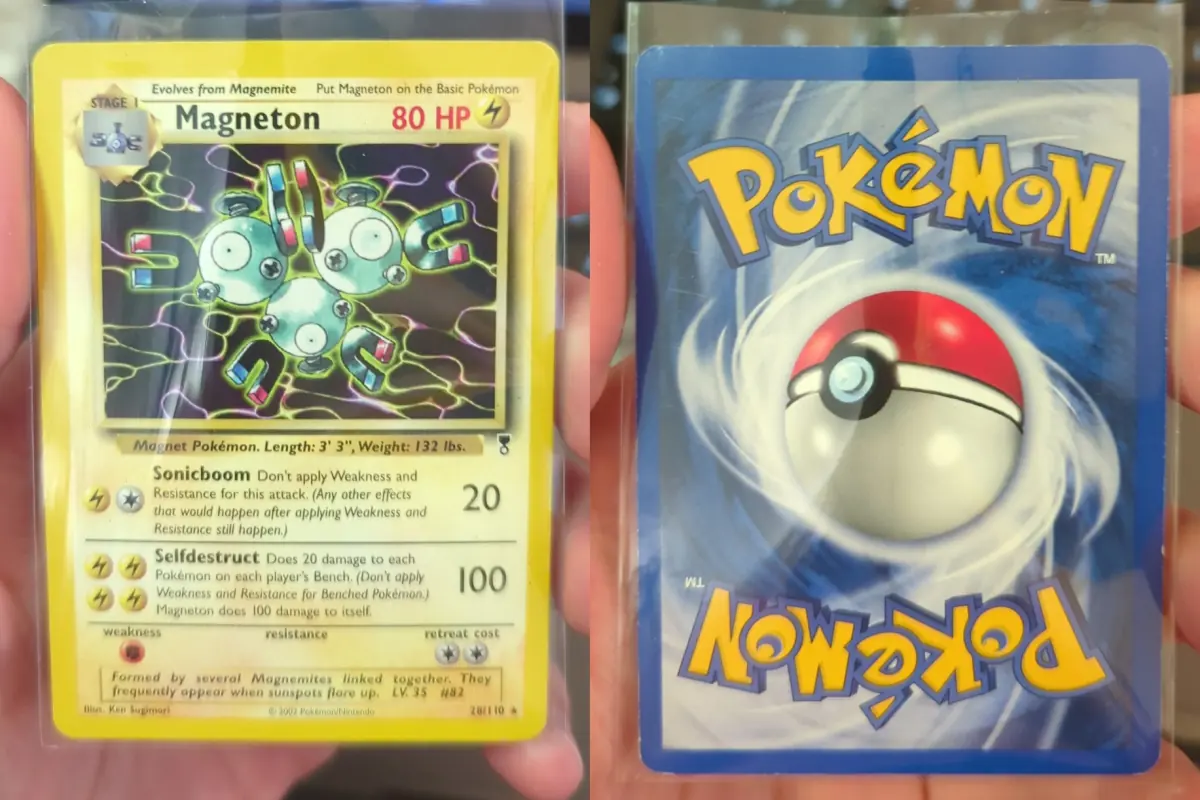
Marketplaces like Cardmarket allow a single image per listing, so front and back have to share one picture. Done by hand, every card turns into a small editing job.
7 steps per card
2 taps per card
sparkbit_042_NM.jpg
A 50-card listing session: 350 steps across four apps 100 taps in one.
How it works
No editing, no second app, no renaming. The camera screen is the whole workflow.
01
Line the card up inside the corner guides and tap the shutter.
02
Turn the card over and tap again. Retake either side if you're not happy.
03
On-device detection finds the card edges and crops each side with a small margin.
Both sides are stitched side by side, the card name and set number are read for the
filename, and it's saved to Pictures/CardStitch.
Built for sellers
The details that matter when you're photographing a stack of cards, not one. Try the output settings below; they work the same way in the app.
Preview
Stitched front and back with a white border and the watermark your-shop.example in the bottom border.
File
On-device text recognition reads the card name and set number from their spots on the card and builds the filename. Wrong read? Rename it in a tap.
MT, NM, EX, GD, LP, PL or PO goes straight into the filename. Pick it once and it stays selected for the next cards; fix the last card from the camera screen.
Choose and order the blocks (name, number, condition, date) and the separator. Every file in your library follows the same pattern.
An even white, black or grey border around and between both sides. Add your shop name or URL; it's placed in the border, never over the card.
Standard for smaller files and a faster shutter, High for sharper images, Maximum for the most detail. Cards are cropped from the full-resolution photo.
Every stitched card with its file size, so you know what you're uploading. Rename, delete, or share to any app through Android's share sheet.
Honest photos
CardStitch never edits your card. It crops, and scales both sides evenly so they line up. That's all. Whitening, scratches, centring: the buyer sees them as your camera did.
Accurate photos mean fewer surprises for your buyers.
Private by design
Card detection and text recognition run on the phone. Images are saved to your
Pictures/CardStitch folder and only leave the phone when you share them.
No sign-up, no login. Open the app and start shooting.
Your photos are never uploaded. There's no CardStitch server and no cloud gallery.
Detection, cropping, stitching and OCR all happen on your phone.
Roadmap
Detection is trained mostly on Pokémon cards today, so that's where it shines. Making it just as good for other games is next.
Being considered, not scheduled.
FAQ
Card detection is trained mostly on Pokémon cards today, so that's where it works best. Other games may work, but less reliably. Better detection across games (Magic, Yu-Gi-Oh!, One Piece and more) is next on the roadmap.
No. Detection, cropping, stitching and text recognition run on your phone. There's no account and no CardStitch server. Images only leave the device when you share them yourself. Details are in the privacy policy.
In your phone's Pictures/CardStitch folder, so they show up in your gallery and file manager. Next to each stitched image, the plain front and back crops are saved too.
CardStitch makes a regular JPEG with both sides in one picture, which is what single-image listings need. You upload it the way you'd upload any photo. CardStitch doesn't connect to your marketplace account or post anything for you, and it isn't affiliated with Cardmarket.
No. It crops and scales both sides evenly, nothing else: no straightening, no filters, no retouching. See honest photos.
Android 7.0 and newer, on a phone with a camera. An iPhone version is coming soon.
CardStitch is in final development and the Google Play release is coming soon, with the iPhone version to follow. Send a short e-mail to join the beta or hear when it's out.
Two taps per card. One image per listing. Your next stack of cards will thank you.